Best High-Quality Mid-to-High-End Computer Motherboards from China Suppliers - D1 Model Factory Specifications Product, Factory

, , , , , , , , , , , , , , , , , , , , , , , ,
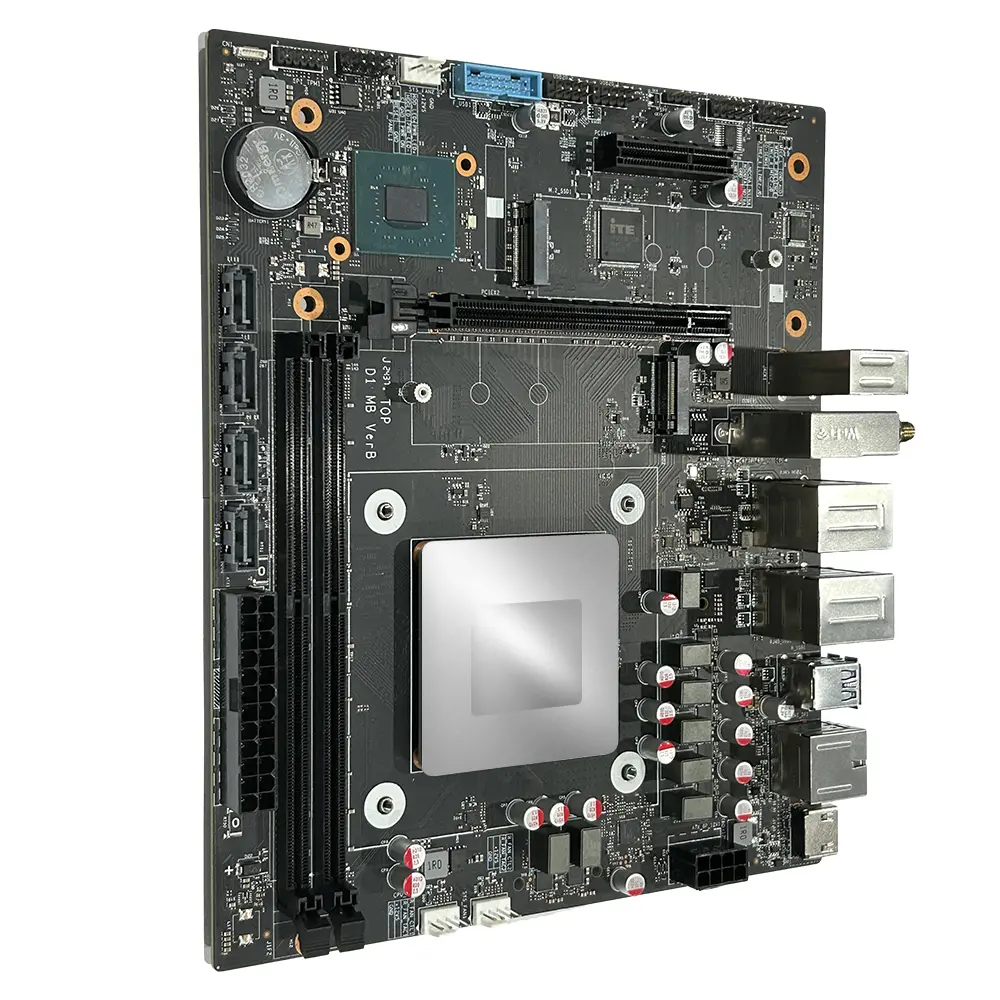
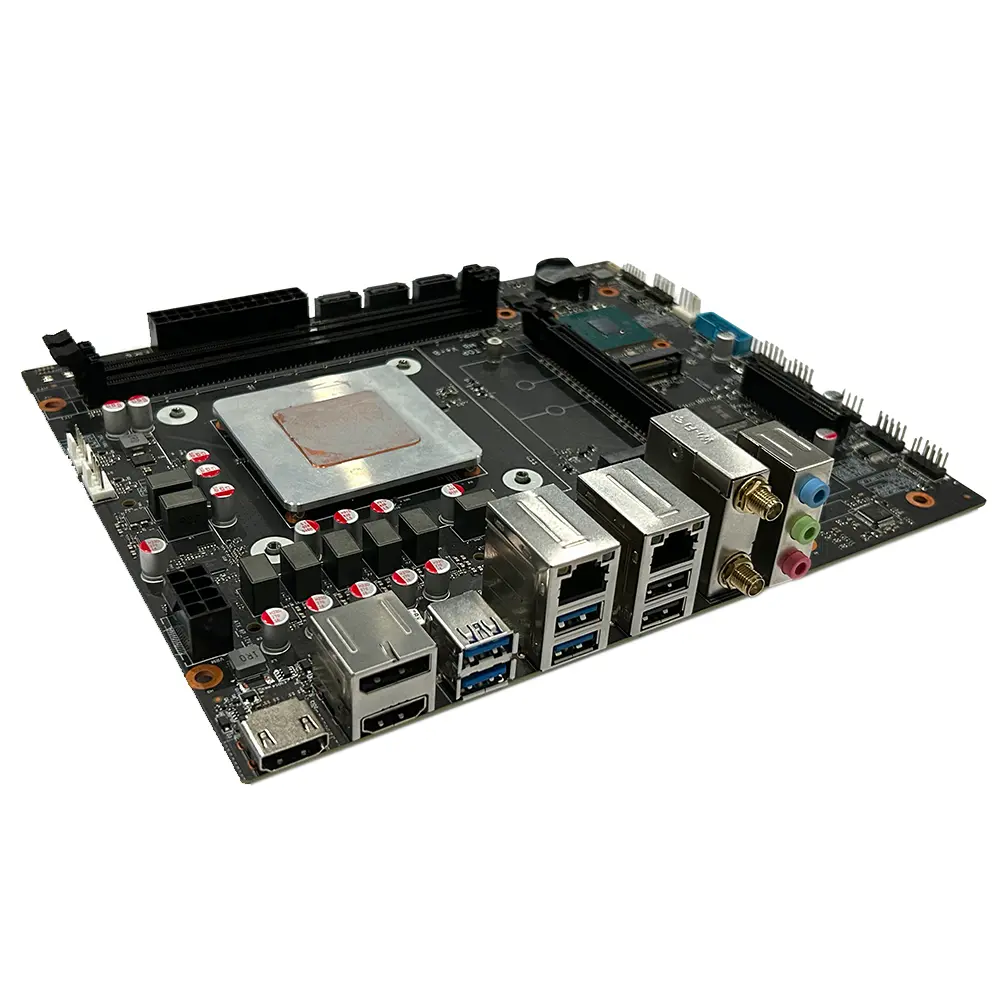
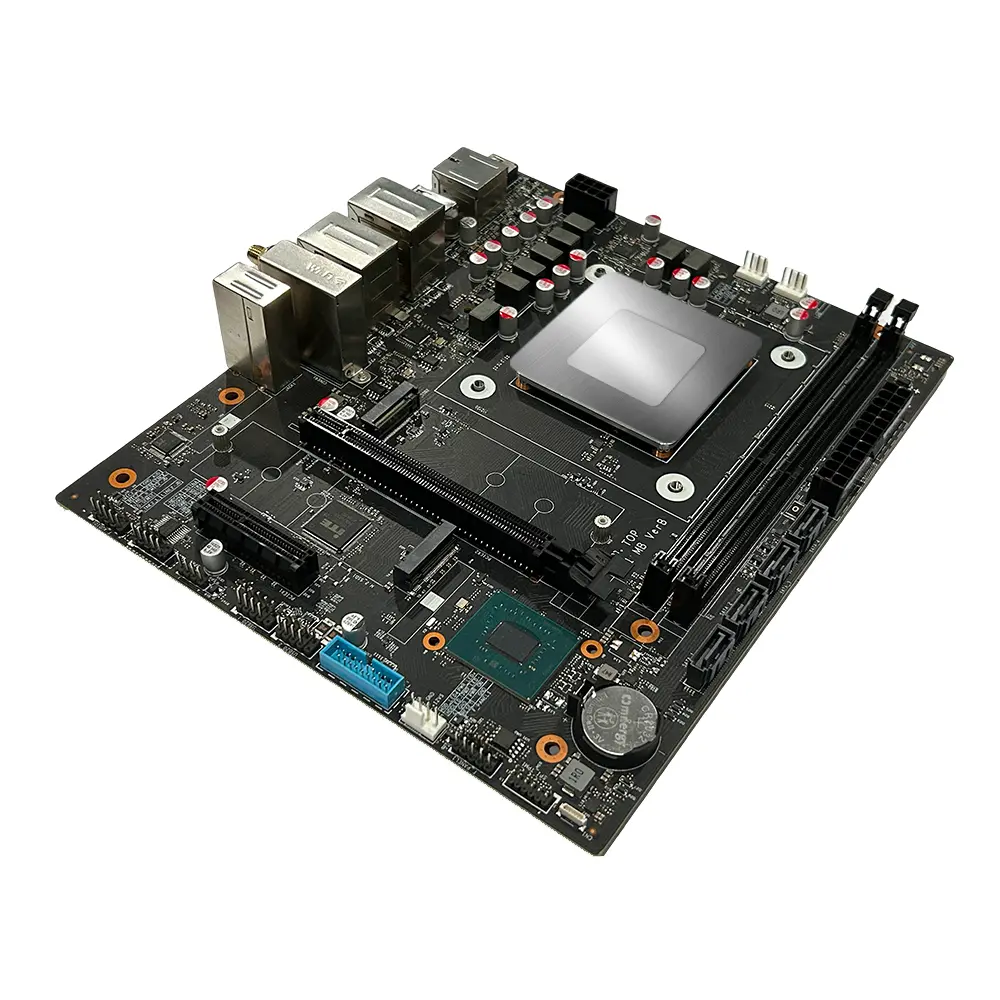
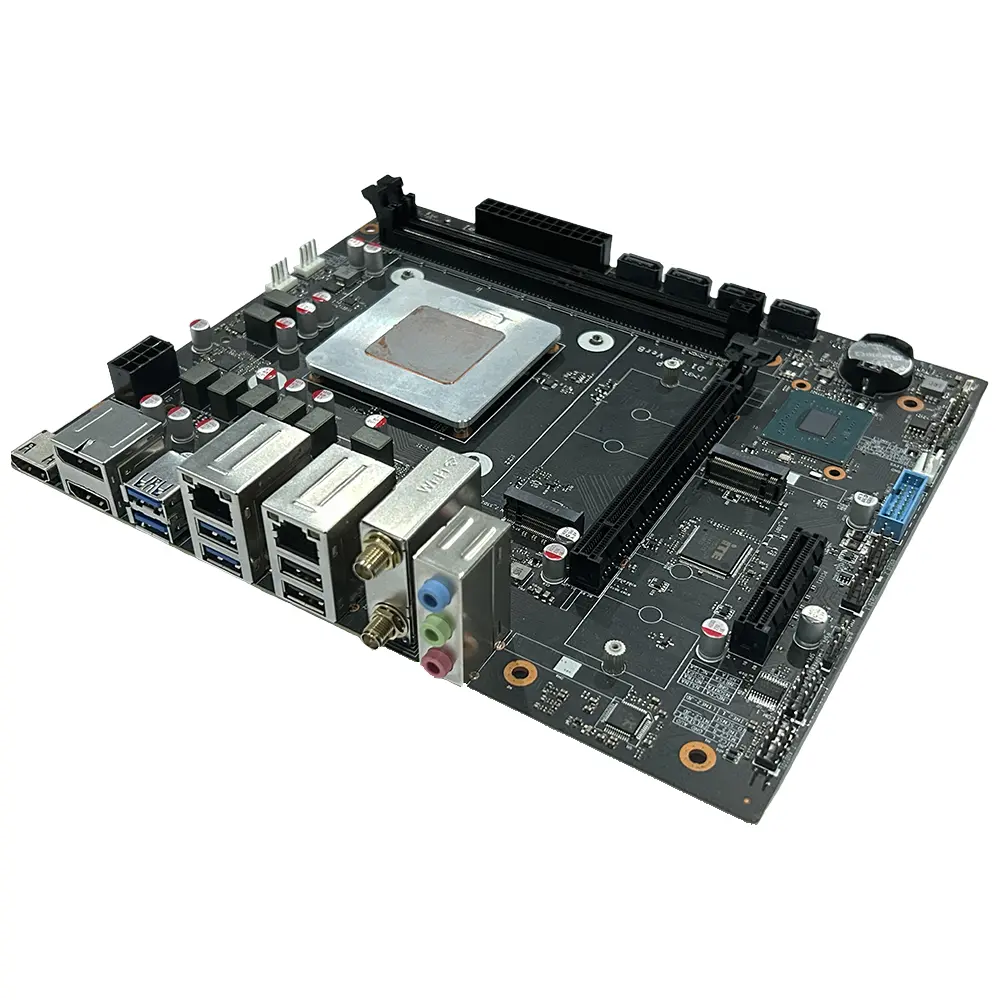
Basic SpecificationsProduct Model:D1
CPU:Choose between Intel i7-13700HX, i5-13600HX, or i5-13500HX and more.
CPU Platform: Powered by Intel Raptor Lake HX 13th CPU with a TDP of 55W.
Memory Slots:Equipped with 2× DDR5 UDIMM slots, expandable up to 96GB.
Size: Compact design measuring 225mm×190mm/Micro ATX (M-ATX compatible)
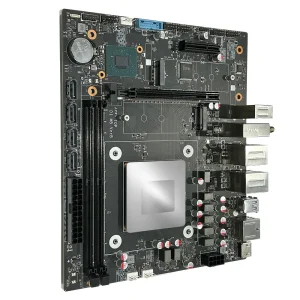
, Discover the D1, a high-performance product designed with cutting-edge features suitable for various applications. This powerful assembly, perfect for enthusiasts and developers alike, is now available from trusted China suppliers. Our factory ensures top-notch quality and durability, making the D1 an excellent choice for your computing needs. Explore endless possibilities with our expandable memory options and robust Intel CPU selections, tailored for today's demanding workloads

Product Description

Product Detailed Specification
Mainboard Chip
Main chipsetIntel® HM670/HM770 and other PCH
Audio chipBuilt-in HD sound chip
Network card chipBoard network card chip
Processor Specifications
CPU typeIntel i7-13700HX / i5-13600HX / i5-13500HX, etc.
CPU platformIntel Raptor Lake HX 13th Gen CPU TDP: 55W
Video cardIntel® UHD Graphics
Memory Specifications
Memory typeDDR5 4800MHz / 5600MHz
Memory slots2 × DDR5 UDIMM up to 96GB
Expansion Slots
WiFi slot1 × M.2 2230 slot (supports WIFI/BT) WIFI: 802.11 b/g/n/AC/AX Bluetooth 4.0 or above
SSD slot1 × M.2 2280 slot (supports NVMe PCIe 4.0 x4)
1 × M.2 2280 slot (supports NVMe PCIe 3.0 x4)
PCIe card slot1 × M.2 2280 slot (supports NVMe PCIe 4.0 x4)
1 × M.2 2280 slot (supports NVMe PCIe 3.0 x5)
External Interface
Power portATX source
Display interface2 × HDMI Out 2.0 1 × DP 1.4
Network interface1 × RJ45 1000M
1 × RJ45 2500M
USB ports4 × USB 3.2 Gen1 2 × USB 2.0
Audio interface1 × Line Out, 1 × Line In, 1 × MIC In
Tips for Safe Use
  • 1Before using this product, please be sure to read the product manual carefully.
  • 2For boards that are not ready to be installed, they should be stored in anti-static protective bags.
  • 3Before taking out the board from the anti-static protective bag, you should first place your hands on a grounded metal object for a while to release static electricity.
  • 4When holding the board, you need to wear anti-static protective gloves, and you should develop the habit of only touching its edges.
  • 5To avoid electric shock or product damage, you must turn off the AC power before plugging or reconfiguring the board.
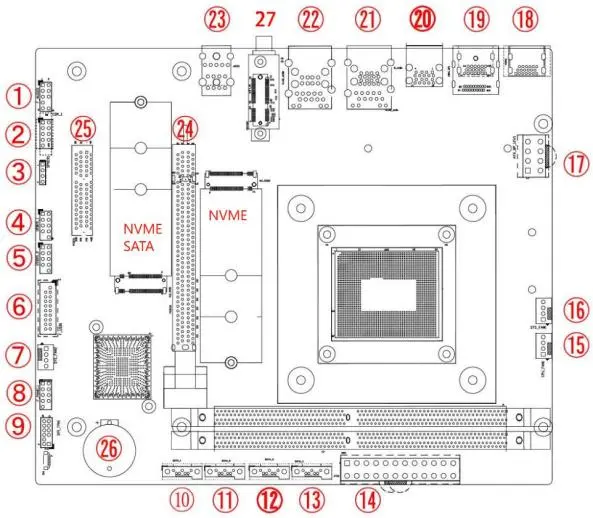
⚠️ The diagram below is for reference only, please refer to the actual product.
Motherboard Interface Diagram
No.DescriptionNo.Description
1F_Audio Interface15CPU fan interface
2COM: Built-in serial port16SYS fan interface
4USB 2.0 pin 9PIN18HDMI 2.0 port
6USB 3.0 front panel20USB 3.0 dual-layer
10Built-in SATA port27M.2 WIFI / BT (WIFI6)
Safety Precautions
  • Before installing or removing hardware, be sure to turn off the power and unplug the cord.
  • When taking the motherboard, try not to touch the metal wiring part to avoid short circuits.
  • Do not allow screws to contact the circuits or parts on the motherboard to avoid malfunction.
  • Do not place the computer host in an environment with excessively high temperatures.
Memory Installation Guide
1. Ensure the memory matches motherboard specifications (DDR5).
2. Align the gold finger of the memory stick with the slot notch.
3. Insert vertically and press down until you hear a "click".
4. To remove, push the latches at both ends outward simultaneously.
Frequently Asked Questions
QWhat Intel CPU generations are compatible?
This motherboard supports Intel 13th Gen Raptor Lake HX series processors (i7-13700HX, i5-13600HX, i5-13500HX) with a TDP of 55W.
QWhat is the maximum RAM capacity?
It supports up to 96GB of DDR5 memory (4800MHz / 5600MHz) via two UDIMM slots.
QHow many displays can be connected?
You can connect up to 3 monitors using the 2 × HDMI 2.0 ports and 1 × DisplayPort 1.4.
QDoes it support WiFi 6?
Yes, it features an M.2 2230 slot that supports WiFi 6 (802.11ax) and Bluetooth 4.0 or above.
QWhat are the storage expansion options?
It includes 2 × M.2 2280 NVMe slots (one PCIe 4.0 x4, one PCIe 3.0 x4) and 4 × SATA 3.0 ports for traditional drives.
QWhat are the environmental requirements?
Operating temperature should be between 0°C and 40°C, with humidity between 5% and 95% (non-condensing).

Related Products