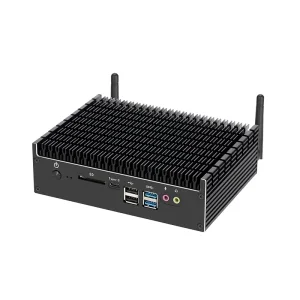
 JingHong Device
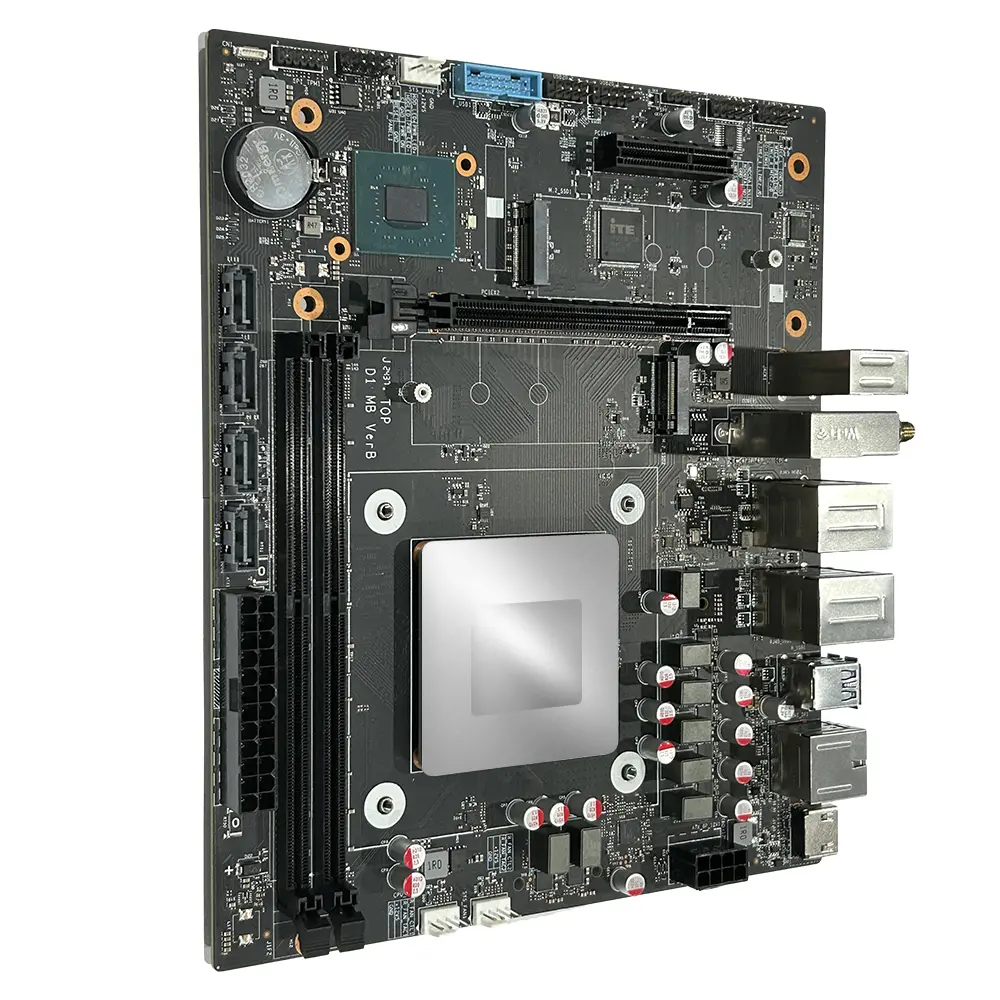
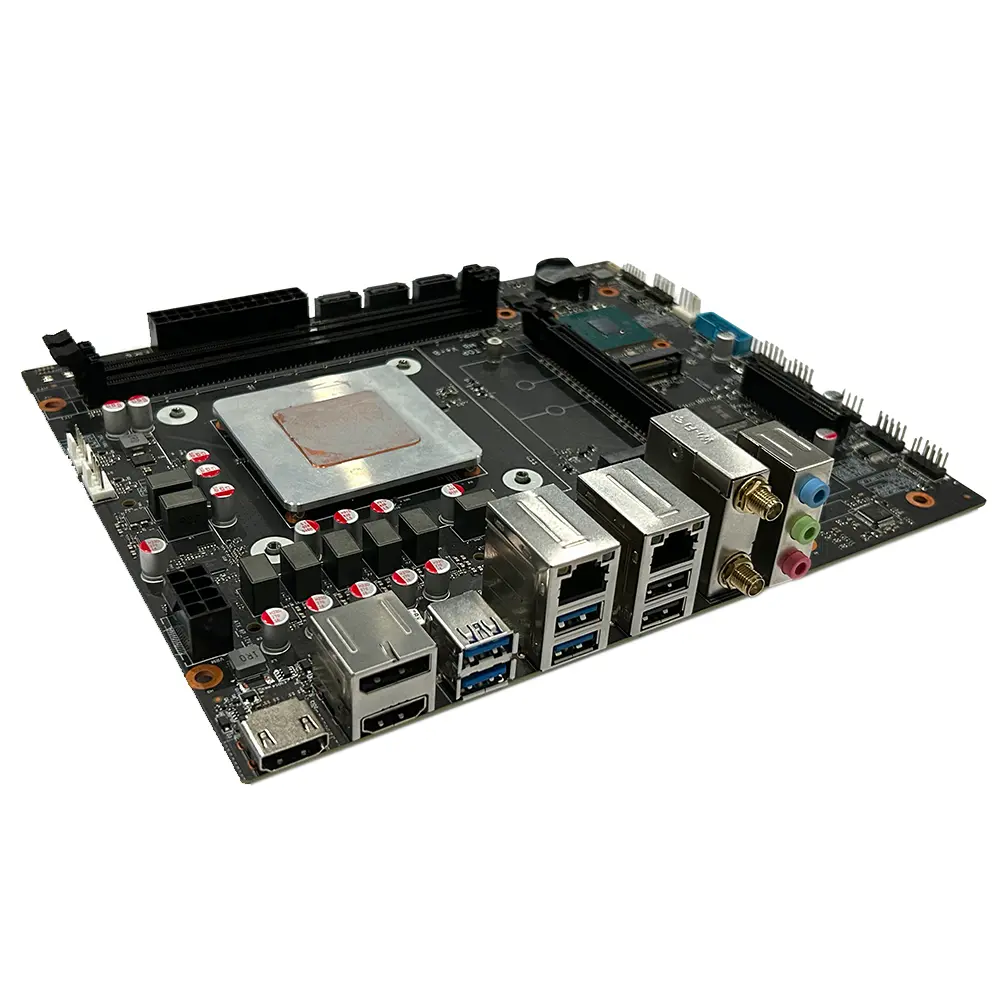
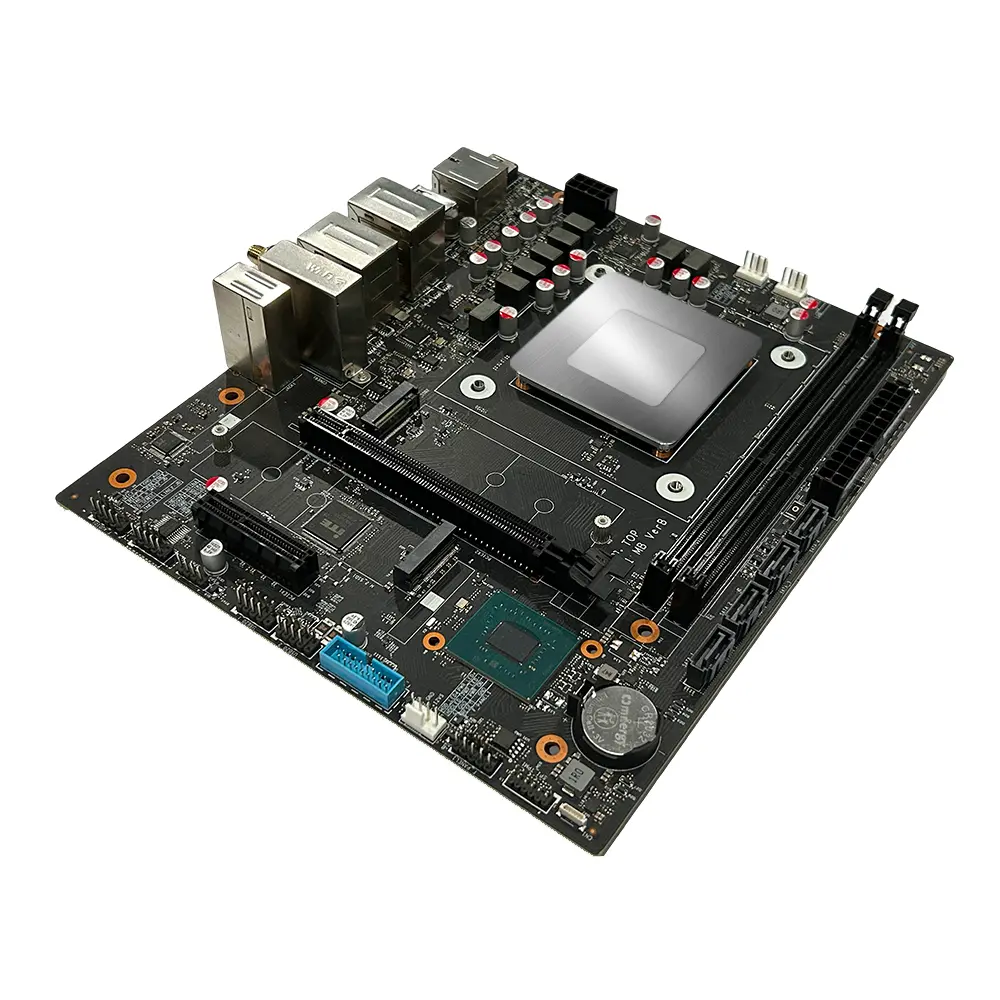
1 / 4
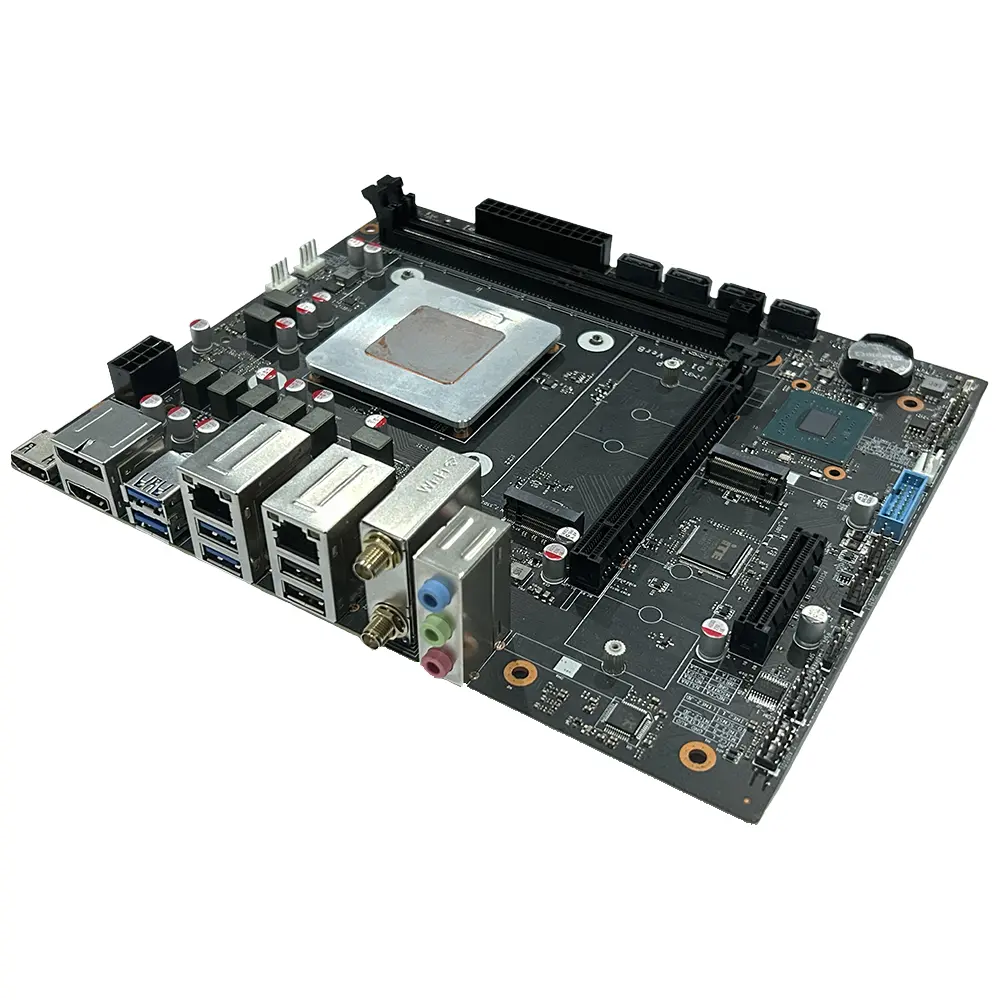
| Mainboard Chip | |
| Main chipset | Intel® HM670/HM770 and other PCH |
| Audio chip | Built-in HD sound chip |
| Network card chip | Board network card chip |
| Processor Specifications | |
| CPU type | Intel i7-13700HX/i5-13600HX/i5-13500HX, etc |
| CPU terrace | Intel Raptor Lake HX 13 generation CPU TDP: 55W |
| Video card | Intel® UHD Graphics |
| Memory Specifications | |
| Memory type | DDR5 4800MHz/5600MHz |
| Memory slots | 2×DDR5 UDIMM up to 96GB |
| Expansion Slots | |
| WiFi slot | 1 × M.2 2230 slot (support WIFI/BT) WIFI: 802.11 b/g/n/AC /AX Bluetooth 4.0 or above |
| SSD slot | 1 × M.2 2280 slot (supports NVME PCIE4.0 x4) 1 × M.2 2280 slot (supports NVME PCIE3.0 x4) |
| PCIE card slot | 1 × M.2 2280 slot (supports NVME PCIE4.0 x4) 1 × M.2 2280 slot (supports NVME PCIE3.0 x5) |
| External Interface | |
| Power port | ATX source |
| Display interface | 2×HDMI Out 2.0, 1×DP1.4 |
| Network interface | 1×RJ45 1000M, 1×RJ45 2500M |
| USB joggle | 4×USB3.2 Gen1, 2×USB2.0 |
| Audio interface | 1 ×Line Out, 1 ×Line In, 1×MIC in |
| Built-in Plug-in Specifications | |
| Power interface | ATX power interface 24+8PIN |
| COM mouth | 1 × RS232 (Dupont double row 9-pin 2.54mm) |
| Built-in audio interface | 1 ×F_Audio (Dupont dual-row 9-pin 2.54mm) |
| Plug-in socket | 4 x SATA3.0 ports |
| TPM contact pin | 1 x double row 11Pin 2.0mm |
| USB3.0 Wafer | 1 double row USB3.0 pin 20PIN 2.0mm |
| USB2.0 plug | 2 × dual-row USB2.0 connectors (DUPON dual-row 9-pin 2.54mm) |
| Beeper pin | 1 × SPKER 4Pin 2.54mm |
| Board-mounted pins | 1 × CPU_FAN 4PIN, 2× SYS_FAN 4PIN |
| Other Parameters | |
| Size of motherboard | 225mm×190mm |
| BIOS support | AMI UEFI BIOS, PXE, WOL |
| Work environment | Temperature: 0~40℃, Humidity: 5%~95% no condensation |
| Storage environment | Temperature: -20~ 70℃, Humidity: 5%~95% no condensation |
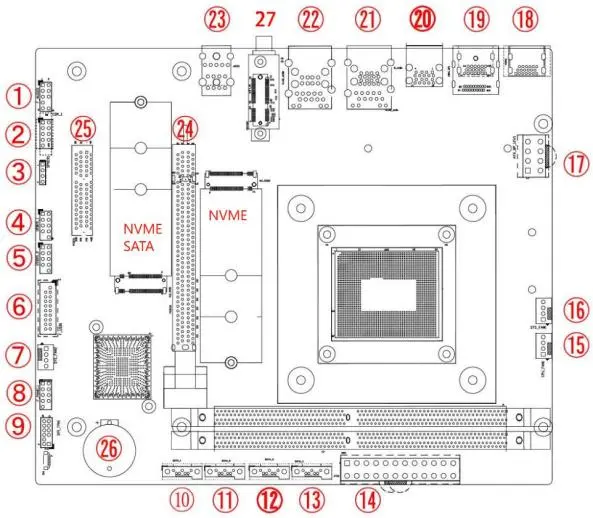
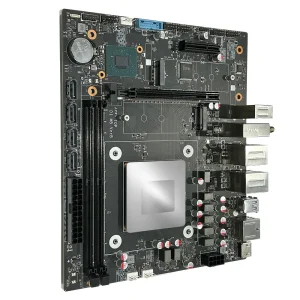
(The diagram is for reference only, please refer to the actual product)
| No. | Description | No. | Description |
|---|---|---|---|
| 1 | F_Audio: Built-in audio interface | 15 | CPU fan interface |
| 2 | COM: Built-in serial port | 16 | SYS fan interface |
| 3 | buzzer | 17 | ATX_ 8PIN 12V interface |
| 4 | USB2.0 pin 9PIN | 18 | HDMI2.0 port |
| 5 | USB2.0 pin 9PIN | 19 | DP+HDMI port |
| 6 | USB3.0 front panel interface | 20 | USB3.0 dual-layer interface |
| 7 | SYS fan interface | 21 | RJ45 (1G) +2 USB3.1 ports |
| 8 | F_panel: built-in switch panel interface | 22 | RJ45 (2.5G) +2 USB2.0 ports |
| 9 | TPM pin 11PIN | 23 | Headset jack |
| 10 | Built-in SATA port | 24 | PCIEx16 port (optional) |
| 11 | Built-in SATA port | 25 | PCIEx4 interface (optional) |
| 12 | Built-in SATA port | 26 | RTC battery interface |
| 13 | Built-in SATA port | 27 | M.2 WIFI / BT support WIFI6 |
| 14 | ATX_ 24Pin power interface |
• Do not tear off the serial number and agent warranty sticker on the motherboard before installation, otherwise it will affect the recognition standard of the product warranty period.
• Before installing or removing the motherboard and other hardware devices, be sure to turn off the power and unplug the power cord from the socket.
• When installing other hardware devices to the socket inside the motherboard, please make sure that the connector and the socket are tightly connected.
• When taking the motherboard, please try not to touch the metal wiring part to avoid short circuit.
• When taking the motherboard, central processing unit (CPU) or memory stick, it is best to wear an anti-static wristband.
• Before installing the motherboard, please place it on an anti-static mat or anti-static bag.
• Before turning on the power, make sure that the voltage value of the power supply is set to the voltage standard value.
• Do not allow the screws to contact the circuits or parts on the motherboard to avoid damage.
The motherboard provides 2 260 Pin DDR4 U-DIMM memory slots.